Technique

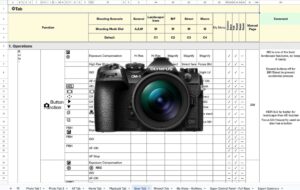
  • Giant OM1 I and II spreadsheets of my top photo settings

    The OM System settings backup file is unreadable and can only be restored to the same camera model — so when I moved from the OM-1 Mk I to the Mk II, transferring settings meant going through every menu item manually. These spreadsheets, built on BobCS’s 2022 framework and updated by reader MM with full User Guide page references, are the only structured templates on the internet that mirror the complete OM-1 menu system.
  • Using FastRawViewer to cull thousands of images

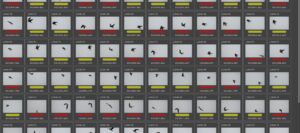
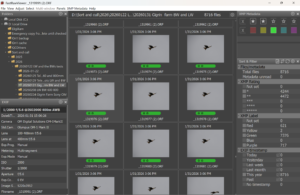
    FastRawViewer renders true RAW data rather than the embedded JPEG preview, pages through files at near-JPEG speed on a fast SSD, and has keyboard-driven colour labelling that makes it practical to work through tens of thousands of files without importing them into a DAM. At 50fps, one minute of shooting generates 3,000 images; the fine detail view via the Q key is the most reliable tool I have found for checking eye focus on birds during culling.

  • Long exposure with OM computational photography

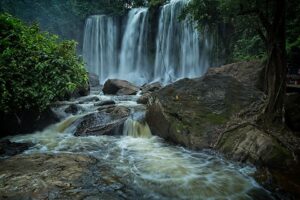
    OM System’s Live ND stacks up to 128 exposures to give 7 stops of ND equivalent, eliminating the need for physical ND filters in most waterfall and fast-water scenarios, and producing significantly less noise than a single long exposure would. The High-Res shot mode extends this to exposures of up to 8 minutes on a tripod or 12 minutes hand-held, with improved dynamic range and resolution — results I tested against the Nikon Z7 and found superior on every measured metric.

  • Perfect long exposure with physical ND filters

    The core problem with ND filter work is knowing which filter strength to use before attaching it; I solve this with exposure tables that map base shutter speed directly to the required ND for 1, 2, and 4-minute exposures, eliminating trial-and-error in the field. For a 2-minute exposure on a bright day, the answer is 1/640s plus 16 stops of ND; on an overcast day it is 1/80s plus 13 stops — two figures that are easy to remember before setting out.

  • OM-1 settings for landscape and long exposure photography

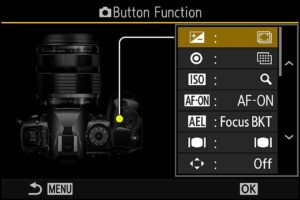
    The OM-1’s landscape custom setting drives every computational feature — Hi-Res shot, Live ND, HDR, focus bracketing, and GND — from a single dial position, with one-press custom buttons giving access to each mode without entering the menu. These settings and cheat sheets, along with downloadable .set files for both OM-1 Mk I and Mk II, describe the approach I use to extract equal or better dynamic range than full-frame cameras using the OM system’s computational tools.

  • Perfect exposure on the wing with the OM1

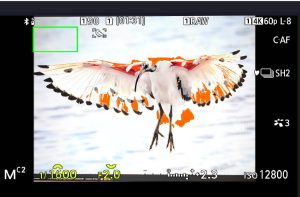
    The OM-1’s Highlight/Shadow blinkie system shows the exposure state directly on the bird rather than giving a histogram average of the whole scene, making it possible to spin the rear dial to ETTR while maintaining focus lock, faster than any spot metering approach. I set the function lever in position 1 with exposure compensation on the rear dial as default, so adjusting the exposure on a flying bird requires no mode switching at all.

  • My OM1 birds in flight settings

    These are my full custom settings, cheat sheets, and downloadable .set files for birds in flight on the OM-1 Mk I and Mk II, built around manual mode with auto ISO, highlight/shadow blinkies, and back-button focus — oriented towards the most demanding scenarios including white birds against dark backgrounds and rapidly changing light. The core principle is that matrix metering fails with high-contrast birds; the blinkie system combined with instant exposure compensation via the rear dial gets reliably better results.

  • Taking better birds in flight photos

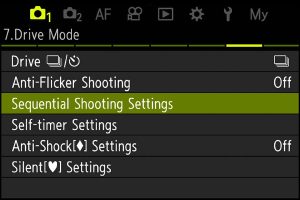
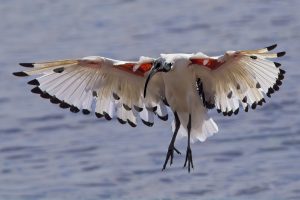
    My birds-in-flight hit rate from a Cape Town session in March 2024 was measurably better than previous trips — a change I attribute to the OM-1’s ProCapture mode, which buffers frames before the shutter is fully pressed and eliminates the half-second reaction-time gap that costs shots. The camera does its most useful work in the moments before you consciously decide to press the button.

  • Taking and processing interesting* seascapes

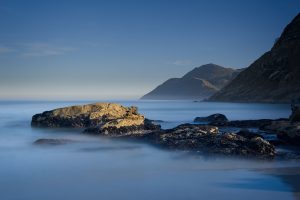
    Returning to Noordhoek in Cape Town after five years away, I produced the best seascape results of my career — mostly because post-processing has advanced further than camera technology for this genre, and I now plan each image as a 2- to 3-layer composite before shooting it. The critical skill is knowing which shutter speed serves which role: 2 minutes for misty-water simplification, 1/5 second for visible water streaks, 1/8000 second for freezing wave impact.

  • Getting the best from On1 Photo Raw and Lightroom Classic

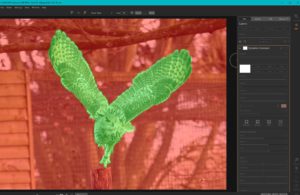
    On1 Photo Raw 2022 no longer functions as a Lightroom plugin, and its .ON1 and .ONPHOTO sidecar files are invisible to Lightroom — so keeping the two programs in sync requires a specific file management approach. The workflow I use starts in On1 for culling, denoising, layers, and dynamic contrast, exports as DNG, copies all sidecar files into the Lightroom directory structure, and imports into Lightroom only for final metadata and keyword management.

  • New Lightroom workflow for improved high frame rate bird photography

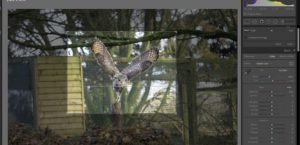
    The standard workflow of importing 200+ keeper images into Lightroom first and then passing them to specialist tools falls apart at scale — the process is too slow and the round-trips between programs compound badly. The workflow I now use reverses the order: cull in FastRawViewer, batch denoise in DxO Photolab (200 images in around 10 minutes), process in On1 for dynamic contrast and resizing, and import into Lightroom only at the end for metadata and final culling.

  • Post-processing workflow for birds in flight

    Importing 400+ keeper images into Lightroom first and then exporting to specialist tools becomes impractical at scale — the workflow is too slow and the round-trips compound. The approach I use: cull in FastRawViewer, batch denoise and optically correct in DxO Photolab, apply dynamic contrast and resize in On1 PhotoRaw, and bring only the finished images into Lightroom for final metadata and culling.